
Best job application tracker tools and templates for 2026
Top job application trackers and free templates for 2026, plus a simple ApplyTop alerts workflow with tailored resumes to move more applications to offers.
ApplyTOP · August 26, 2026
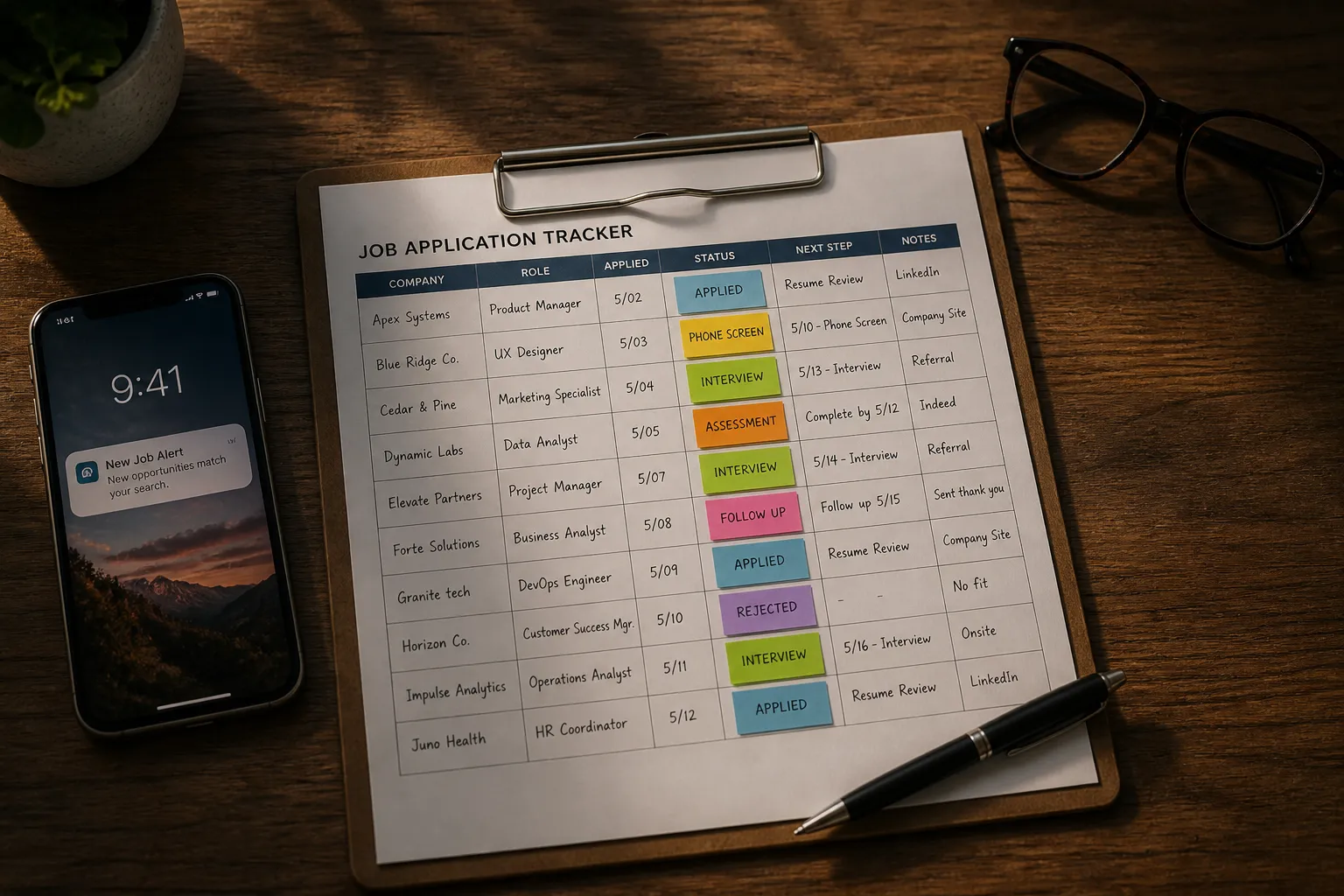
Your search gets chaotic fast once you juggle 15 tabs, three resume versions, and follow-ups you meant to send. A job application tracker fixes that by putting every role, document, and next step in one place you will actually open.
I focused on tools that update fast, show status at a glance, support reminders, export cleanly, and fit a workflow where you source roles daily and tailor resumes in minutes. I flag who each pick fits best and give setup tips so you can get moving today.
What to track in your search
A tracker only works if you track the right details. Keep fields tight and consistent so you can scan, sort, and act without digging.
- Role title, company, and job link
- Source of the job: LinkedIn, company site, ATS portal, referral
- Location, salary range if listed, and work type (onsite, hybrid, remote)
- Date saved, date applied, and current status
- Hiring manager or recruiter contact and how you contacted them
- Resume version and cover letter file you used
- Interview steps, scheduled dates, and prep notes
- Follow-ups sent and next action date
- Outcome and short post-mortem
Suggested statuses: Saved, Researching, Applied, Interviewing, Offer, On hold, Closed. Avoid custom one-offs that make reporting messy.
Two simple conventions prevent headaches later:
- File names: Company_Role_YYYYMMDD_v1.pdf for resumes and Company_Cover_YYYYMMDD.pdf for letters
- Next action always set: Send referral request, Apply by Friday, Prep for round 1, Thank-you email, Nudge recruiter
If you want metrics, track weekly counts for applications sent, referrals requested, interviews booked, and offers. A tiny dashboard with these four numbers keeps you honest without busywork. Add a rolling 14-day apply-to-interview rate so you can see if your tailoring is working.
Best trackers and templates
Pick one system and commit. The right fit is the one you update daily without friction. Here is how each option shines and how to set it up fast.
Notion
Notion gives you a flexible database that can feel like a custom app once you set it up. Switch between table, board, and calendar views to match how you think.
- Setup: Create a Jobs database with properties for Status, Next action (date), Contact (relation), Resume file, and Links. Add a template that preloads an interview prep page with company research, questions, and a checklist.
- Daily use: Board view for pipeline, Table view for bulk edits, Calendar for interviews. Use the web clipper to capture roles with one click.
- Watchouts: Initial setup takes time. Offline use is limited.
Best for: People who want one workspace for tracking, writing, and research.
Airtable
Airtable feels like a spreadsheet that learned a few CRM tricks. You get rich fields, linked tables for contacts and companies, and fast filtering.
- Setup: One base with Jobs, Contacts, and Companies. Link Jobs to Contacts and Companies. Use single select for Status, date fields for Applied and Next action, and attachments for documents. Add an automation to ping you when Next action is today.
- Daily use: Grid for quick edits, Kanban by Status, Calendar for interviews, Gallery for saved roles. Build views like This Week, Follow-ups Due, and Warm Leads.
- Watchouts: Some features sit behind paid plans. Can feel heavyweight for simple lists.
Best for: Analytical job seekers who want sortable data and clean reporting.
Trello
Trello is a clean card-and-board tool that makes status visual. Each job is a card you drag across columns.
- Setup: Lists for Saved, Researching, Applied, Interviewing, Offer, Closed. Use labels for role type and seniority. Turn on Custom Fields for Next action and Salary range.
- Daily use: Checklists for prep and follow-ups. Attach resumes and cover letters to the card so everything lives in one place. Mobile updates are fast.
- Watchouts: Harder to run reports or track detailed fields without power-ups.
Best for: Visual thinkers who want a simple, fast board to move cards each day.
Huntr
Huntr is purpose-built for the job hunt. It centralizes roles, contacts, tasks, and notes in one pipeline view.
- Setup: Use the browser extension to save roles with one click. Add contacts to each role and set task reminders.
- Daily use: Plan your week in the pipeline view. Keep documents and notes tied to each role.
- Watchouts: Less flexible than a blank canvas tool. Advanced features may require a paid plan.
Best for: Anyone who wants a ready-made tracker without building a system.
Teal
Teal offers a structured workspace for modern searches with built-in guidance.
- Setup: Import saved roles, attach documents, and turn on follow-up reminders. Use the fields designed for tailoring and next steps.
- Daily use: Treat the dashboard like an inbox. Clear new roles, then move on to follow-ups.
- Watchouts: Less control over structure than DIY tools. Some features work best in the browser.
Best for: Busy candidates who want structure without heavy customization.
JibberJobber
JibberJobber is a long-running career CRM focused on relationships and history.
- Setup: Log contacts, tag them by company and role, and set recurring reminders for check-ins. Link contacts to active roles.
- Daily use: Track conversations over time and keep a record that survives this search and the next.
- Watchouts: Interface feels dated. Requires a little setup to feel smooth.
Best for: Network-focused candidates who value relationship tracking.
Free spreadsheet templates
Spreadsheets are still fast, flexible, and free. You own the data, can export anytime, and can add exactly the fields you want.
Google Sheets quick-start:
- Columns: Job title, Company, Link, Source, Location, Salary, Work type, Date saved, Date applied, Status, Next action, Contact, Email, Resume version, Cover letter, Notes, Outcome
- Tips: Freeze header row. Data validation for Status. Filters for Company, Status, and Week applied. Create a Contacts tab with a link back to each role.
Excel quick-start:
- Same layout as Sheets. Add conditional formatting that turns cells red when Next action is before today. Add a pivot for weekly metrics.
- Version control: Save a stable CSV export every Friday so you can roll back if needed.
CSV starter for imports: job_title, company, link, source, status, date_saved, date_applied, next_action, resume_version, notes. A clean CSV makes moving to Airtable or a new tool painless.
Workflow with ApplyTop alerts
Trackers are only as good as the roles you feed them. This is where an ai job search service helps. Use ApplyTop to scan company career sites, and ATS portals for fresh roles that match your criteria. Turn on hourly job alerts so you see openings fast and log them before they flood with applicants. It also works as a LinkedIn job alerts alternative when you want a wider net across the web.
Here is a simple daily loop:
- Morning triage: Open your alerts folder. For each role, decide in under two minutes: Save, Research, or Pass.
- Create the tracker entry: Add title, company, link, source, status, and a concrete next action. If you intend to apply, set a same-day or next-day deadline.
- Tailor fast: Use ApplyTop to generate a resume and cover letter that reflect the posting. Keep strict file naming so you can find the right version later.
- ATS check: If you use a separate ats resume checker, run your tailored resume through it and note any edits you made.
- Apply and log: Submit, then immediately record Date applied and set a follow-up for 5 to 7 days if you have not heard back.
For company research and interview prep, paste a short brief into each tracker entry: what the company sells, recent news, top 3 responsibilities from the job ad, and two reasons you fit. If a hiring manager shares insight on X, capture it cleanly. X-Post-Copier is handy here because it can copy an X.com post text, media, author, and links directly to your clipboard, with screenshot, history, and bulk-copy options, then you can paste it into your notes without fiddling.
End each day with a 10-minute review: move cards forward, clear any Overdue next actions, and archive dead ends. On Fridays, scan for any Saved roles you never applied to and either apply or delete. Keep it clean so you trust it.
How we chose
I tested each pick for speed of updates on desktop and phone, clarity of status at a glance, and how easy it felt to attach contacts and documents. I looked for reminders that keep you moving without nagging, exports that produce tidy CSVs, and privacy controls that let you remove data. Price matters, so I made sure there is a free path that still works. If a tool caused friction during a daily review, it did not make the list.
Key takeaways
- Pick a tracker you will open every day. Fast updates beat fancy features.
- Track the same core fields for every role and always set a next action.
- Use ApplyTop for hourly job alerts and quick tailored resumes, then log those roles right away.
- Spreadsheets are great, but purpose-built tools can save time on follow-ups and reminders.
- Review your pipeline weekly and close cold roles so your list stays actionable.