
Beat ATS Resume Scanners and Get Seen by Recruiters
Learn how to beat ATS with clean formatting, role-specific keywords, and quick iteration using ApplyTop's ATS checker and hourly job alerts to get seen sooner.
ApplyTOP · June 25, 2026
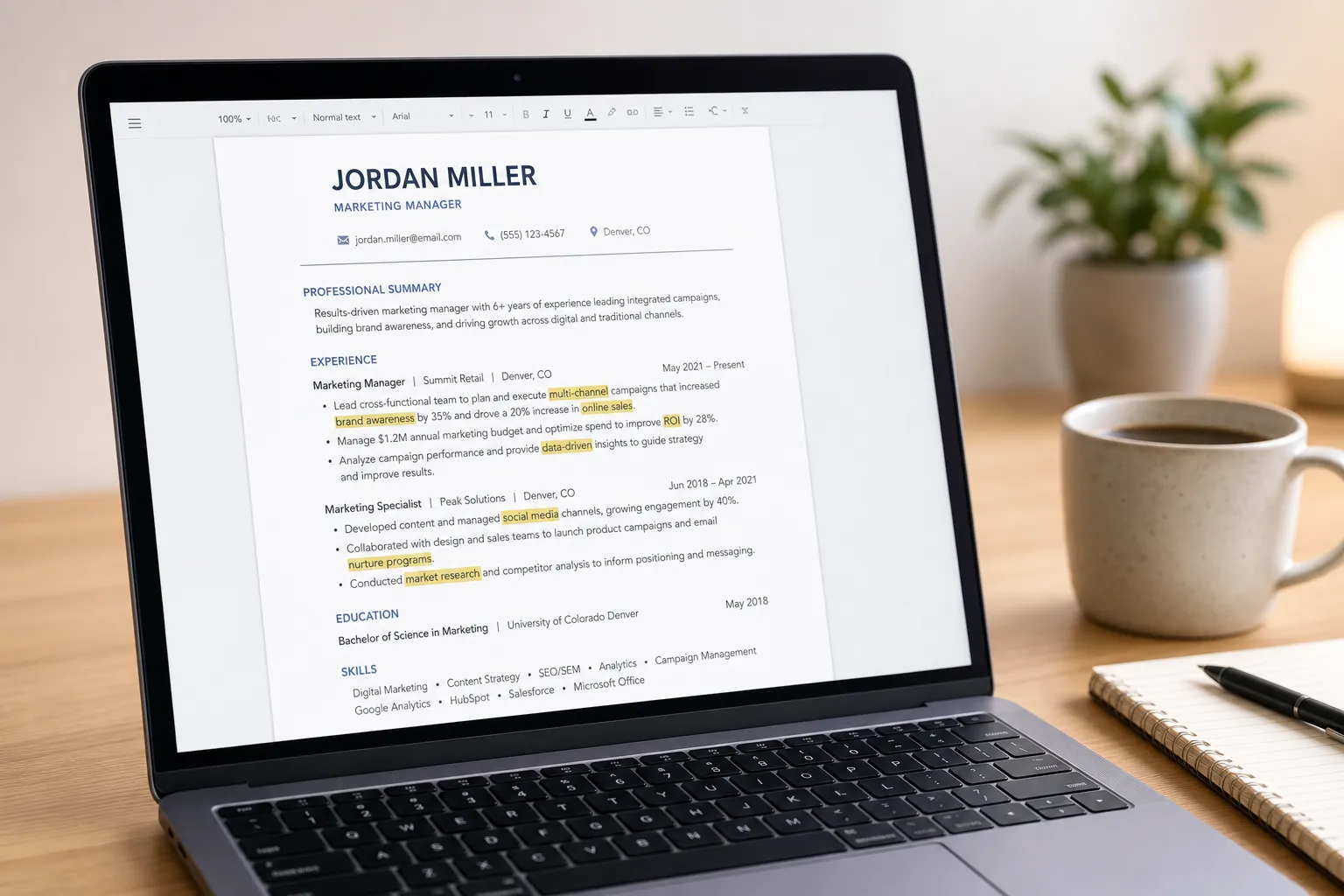
You sent a great application, then silence. In many cases a recruiter never saw your resume because an applicant tracking system filtered it out. To rise to the top, you need a resume that parses cleanly, mirrors the job’s language, and gets tested and refined quickly. This guide shows you how to format for ATS, target the right keywords, and run a fast feedback loop so you land more interviews.
Why resumes miss the cut in ATS
Most ATS tools like Workday, Greenhouse, iCIMS, Lever, or Taleo convert your resume to plain text, then map sections into fields and score for keyword matches. Anything that scrambles reading order or hides relevant terms hurts your rank. Common problems:
- Tables, columns, text boxes, or sidebars that cause the parser to read content out of order or skip it.
- Contact details in headers or footers that get ignored by some parsers.
- Logos, icons, and charts that contain text the system cannot see.
- Exotic fonts or heavy styling that turns into garbled characters.
- PDFs exported from design tools that flatten text into images.
- Mismatched terminology. The job says “Excel” and your resume says only “spreadsheets.”
- Inconsistent dates or vague job titles that confuse seniority and timeline.
Quick self-check: copy your resume text into a plain editor like Notepad. If the order reads cleanly and all content appears, you are on the right track. Next, match the employer’s language exactly where it is true for you.
Make your file parse perfectly
Use a reader-friendly file
- Save as .docx or a text-based PDF exported from Word or Google Docs. Avoid design tools that rasterize text.
- Name files for humans: Firstname-Lastname-TargetTitle.docx. Skip “Final_v12.pdf”.
Keep a simple, single-column layout
- Avoid tables, columns, and text boxes. Build sections with normal headings, paragraphs, and bullet lists.
- Place contact info in the body at the top: name, phone, email, city or metro, and a clean LinkedIn URL.
- Use standard section headers: Summary, Skills, Experience, Education, Certifications. Optional: Projects or Publications if relevant.
- Use 0.5 to 1 inch margins. Keep line spacing consistent so bullets do not wrap oddly.
Stick to standard fonts and characters
- Pick Arial, Calibri, Times New Roman, or Helvetica at 10–12 pt. Bold for headings, regular for body. Minimal italics.
- Use simple bullets like • or hyphens. Avoid icons that might disappear in parsing.
Normalize dates and titles
- Use a consistent format such as Jan 2022 – Mar 2024. Spell out months to avoid locale misreads.
- Prefer market-standard titles. If your internal title was “People Champion,” list “HR Generalist (internal: People Champion).”
Example of an ATS-friendly bullet with proof: Increased SQL report throughput 35 percent by indexing high-read tables and batching ETL jobs in Airflow.
Match the right keywords for each role
ATS filters do simple math. If the job mentions “Salesforce” multiple times and your resume never does, you will not rank. Build a role-specific keyword plan and place terms where they carry the most weight.
- Collect 3–5 current postings for the exact title. Highlight hard skills, tools, frameworks, certifications, and compliance terms.
- Group synonyms so you cover the employer’s phrasing: Excel, Pivot Tables, VLOOKUP; or CRM, Salesforce, Sales Cloud; or SQL, PostgreSQL, queries.
- Rank by frequency across postings. Place the top terms in your Summary, Skills, and the first two bullets under each relevant job.
- Mirror exact phrases when accurate. If they write “Google Analytics 4,” use “Google Analytics 4,” not only “GA4.”
- Pair keywords with evidence. Add an outcome, metric, or use case so humans trust it.
Product teams often use a feature voting tool to collect, deduplicate, and rank customer feedback before they act. Treat job keywords the same way: deduplicate similar phrases, rank by how often they appear across postings, then work the top items into bullets that prove impact.
Role-based examples
- Data Analyst: SQL, Python, Pandas, Excel, Tableau or Power BI, A/B testing, GA4, dbt, ETL. Sample bullet: Built a Power BI dashboard that cut weekly reporting time 6 hours and surfaced a $220K upsell signal.
- Customer Success Manager: Salesforce, CSAT, QBRs, renewals, churn, onboarding, health scores, Playbooks, Gainsight or Totango. Sample bullet: Led QBRs across 12 enterprise accounts, driving 94 percent logo retention and $1.1M net expansion.
- Marketing Manager: Lifecycle, HubSpot, GA4, Meta Ads, SEO, CRM, CPC, CAC, LTV. Sample bullet: Launched a $35K paid program that lowered CAC 22 percent while increasing sales-qualified leads 18 percent.
Do not forget soft filters. If a posting requires location, clearance, shift coverage, security certifications, or work authorization, state those in the Summary. Add certifications like PMP, CompTIA Security+, AWS Solutions Architect, or Salesforce Administrator in a Certifications section so ATS can map them cleanly.
Ship, test, and iterate fast
Guessing is slow. A tight loop beats a perfect first draft. This is where an AI job search stack helps.
- Run your resume through an ATS resume checker. ApplyTop parses your file and the target job, flags formatting risks, and shows missing keywords by priority.
- Use ApplyTop’s AI resume builder to insert targeted keywords in context, rewrite weak bullets with metrics, and keep a human voice.
- Retest until top issues clear. Recheck parsing, keyword coverage, and section structure after each edit.
- Keep tailored versions by role or seniority. Track which variant gets interviews so you invest in what works.
For sourcing, ApplyTop sends hourly job alerts from LinkedIn, career sites, and ATS platforms. If you rely only on LinkedIn notifications, consider a LinkedIn job alerts alternative that spots roles earlier and across more sources. When a match hits your inbox, submit a tuned resume within minutes while the posting is still fresh.
A simple weekly workflow
- Pick a target role and city. Collect 3 new postings for signal.
- Run each through ApplyTop. Merge the overlapping high-priority keywords into your base resume.
- Generate a tailored version with the AI resume builder. Keep one page if under 10 years of experience, two pages otherwise.
- Retest with the ATS resume checker. Fix parsing errors, keyword gaps, and unclear titles.
- Apply within 24 hours. Track results in a simple sheet: company, role, date, resume variant, cover letter used, response, interview stage, outcome.
Small iterations compound. Tighten one bullet, clarify a title, add a missing tool, then test again. Over a few cycles your response rate improves because both the machine and the human see a sharper fit.
Key takeaways
- Structure first. One column, standard headings, clean .docx or text-based PDF, readable fonts, and consistent dates.
- Match the job’s language. Place top keywords in the Summary, Skills, and the first bullets of relevant roles, paired with measurable proof.
- Use tools to speed the loop. ApplyTop’s ATS resume checker and AI resume builder help you tune, retest, and track what works.
- Move fast on live roles. Hourly job alerts let you submit a targeted resume while postings are still fresh.
Focus on clean parsing, precise keywords, and quick iteration. Do that consistently and you will clear more screens and make it to a recruiter’s inbox far more often.