
How to write an ATS-friendly resume recruiters scan fast
Write an ATS-friendly resume recruiters scan fast. Get clean formatting rules, keyword-matching examples, and a 5-step checklist to pass ATS.
ApplyTOP · August 5, 2026
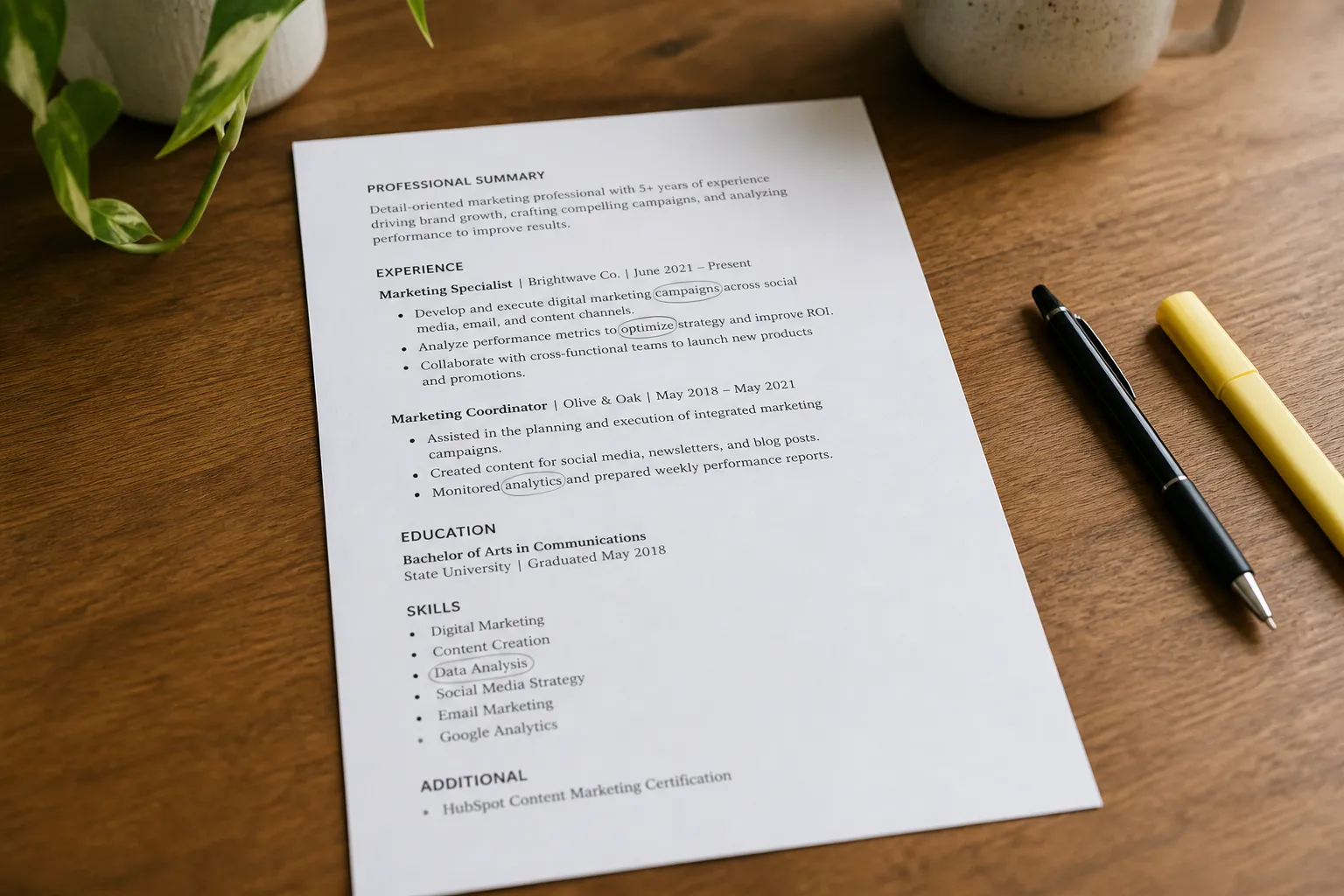
Your resume keeps disappearing into the black hole. You apply, then nothing. Many rejections happen before a human ever sees your name because the applicant tracking system cannot parse what you sent or it cannot match it to the job.
You do not need tricks. You need a clean layout, the right words from the posting, and a quick test before you upload. Here is how to write an ATS-friendly resume that a recruiter can scan in seconds.
What ATS looks for
ATS software reads text, not design. It tries to extract your name, contact info, job titles, company names, dates, and skills, then checks whether those fields and keywords match the posting. Make that job easy.
- Standard headings it can map. Use Summary, Skills, Experience, Education, Certifications, Projects, and optionally Awards or Additional Information.
- Plain text it can parse. One column. No text boxes, images, icons, charts, or background shapes.
- Exact terms from the job post. If the post says Salesforce and SQL, those words should appear in your resume in context.
- Consistent formats. For experience lines, use a repeatable pattern: Title, Company, City ST, MMM YYYY to MMM YYYY. Stick to a single date style.
- Text-based files. DOCX or a searchable PDF. If you can select and copy text in your PDF, it is parseable. Avoid scanned PDFs or exports that flatten text into images.
Think of an ATS as a strict copy-paste robot. If your layout makes it guess, it will miss information a recruiter cares about.
Choose simple, scannable formatting
Design for machines and humans. A hiring manager should skim and spot your value in eight seconds.
- One column, left aligned. No sidebars or tables. They often read out of order.
- Common fonts. Calibri, Arial, Helvetica, Georgia. Body 10–12 pt, headings 14–16 pt. Use bold for emphasis. Skip underlines and italics for large blocks.
- Clear section titles. All caps or bold is fine. Keep titles literal, like Skills or Experience.
- Simple bullets. Use standard characters like hyphens or solid circles. Avoid special symbols that can break in parsing.
- Whitespace helps. Margins 0.5–1 inch, line spacing 1.0–1.15, and consistent spacing between sections.
- Save smart. DOCX or text-based PDF. File name like Firstname-Lastname-Target-Role.docx.
Formatting pitfalls to avoid
- Text boxes, columns, and tables for layout. They get flattened or read in the wrong order.
- Graphics for key info. Do not put skills, contact info, or titles in images.
- Headers and footers with contact info. Some systems skip those areas.
- Decorative elements. Icons, color blocks, rating bars, and dense walls of text slow reading and confuse parsers.
Mirror keywords from the posting
Your resume needs the same language as the job post. That is how matching works. Pull the exact skills, tools, and responsibilities and write bullets that prove you have done them.
- Collect target terms. Highlight 8 to 15 repeated nouns, verbs, and tools in the posting. Examples: Salesforce, SQL, Looker, stakeholder management, cross-functional, contract negotiation, A/B testing.
- Match the phrasing and variants. If the post says Google Sheets, not Excel, reference Google Sheets at least once. Cover common variants once each where honest: A/B testing and AB testing, CRM and customer relationship management, Tableau and data visualization.
- Spell out acronyms once. First mention can be long form plus acronym: Customer relationship management (CRM). That helps both ATS and humans.
- Prove it with numbers. For each keyword cluster, write one bullet with a metric. Examples: Reduced support response time 34% by building SQL views in Looker used by 12 agents. Managed 9 enterprise renewals, negotiating multi-year contracts averaging $420K ARR.
- Do not stuff. Two to four honest mentions across Summary, Skills, and Experience is plenty. Empty repetition without proof looks fake.
This is where ApplyTop helps. It scans LinkedIn, career sites, and ATS postings in an AI job search and sends matched job alerts. For each match, you can generate a tailored resume and cover letter that borrow the right keywords while keeping clean formatting. If you want a LinkedIn job alerts alternative that also drafts resume versions for you, ApplyTop fits that role without extra busywork.
If you work in social or marketing and want to reference a campaign post or show copy accuracy, use a Chrome extension to copy tweets from X to capture text, media, author, and links. It also includes screenshot, history, and bulk-copy features so you can cite the exact post while keeping your resume text-only.
Optimize headings and sections
Use familiar section titles and a logical order for your field. This structure parses well and reads fast.
Contact and title
Put your name on its own line at the top. Add city and state, phone, email, and a short, clean link to your portfolio or LinkedIn. Skip photos and icons. Use a professional email and remove your full street address.
Summary
Two lines that name your role and key strengths tied to the posting. Formula: Role + years + focus + outcomes + tools. Example: Senior Data Analyst with 6 years in SaaS; build SQL pipelines and Looker dashboards that cut churn and speed exec decisions.
Skills
Group by theme and keep it tight. Tools: SQL, Looker, dbt, BigQuery, Google Sheets. Methods: A/B testing, forecasting, stakeholder management. Limit to the skills you can defend in an interview. 10 to 14 items total is plenty.
Experience
Repeat a clear pattern for each role, newest first.
- Title, Company, City ST, MMM YYYY to MMM YYYY
- 3 to 5 bullets. Each starts with a verb, shows impact, and when relevant names the tool or keyword the job wants.
Bullet formula: Action + context + metric + tool. Examples:
- Cut onboarding time 28% by building a Salesforce flow and training guide used by 25 CSMs.
- Launched weekly product experiments (A/B testing) that raised trial-to-paid conversion from 9.2% to 12.6% in 3 months.
- Consolidated marketing spend data in BigQuery and Looker, reducing month-end close by 2 days.
- Closed 11 mid-market deals in Q4 (avg $58K ACV) by mapping multi-threaded stakeholders and improving executive summaries.
Education and certifications
Degree, school, and year. Add certifications the posting values (PMP, AWS Solutions Architect, Salesforce Admin). If you have 10+ years of experience, the graduation year is optional.
Projects (optional)
Use 1 to 2 projects with links and outcomes when you need proof beyond jobs. Keep the same bullet style. Example: Built a Python script to parse 10K support tickets and identify the top 5 churn drivers, reducing monthly churn 0.8 points.
Test with a manual scan checklist
Before you upload to a portal or any ATS resume checker, run this five-minute test. It catches most blockers.
- Copy to plain text. Select all, paste into a blank text file. Look for scrambled order, missing bullets, or broken characters. Fix the source. Remove tables or special symbols that fail.
- Search for keywords. Press find and check the top terms from the posting. If a must-have term is missing, add a proof point where it is honest.
- Skim in eight seconds. Hand your resume to a friend and give them eight seconds. Ask: What is my title, what do I do best, and what toolset do I bring? If they stumble, tighten the Summary and Skills.
- Check file format. Save as DOCX or a searchable PDF. Open the PDF and try selecting text. If you cannot, re-export. Name it Firstname-Lastname-Target-Role. Avoid special characters in the filename.
- Tailor and regenerate. If you are using an AI resume builder, update the target keywords and prompt it to revise only the Summary, Skills, and 1 to 2 role bullets. With ApplyTop, run a fresh tailored version for each matched role so your language mirrors the post without breaking formatting.
If you rely on hourly job alerts from boards or aggregators, expect small variations in titles and tools. Adjust a few terms each time. Tiny edits move the needle more than full rewrites.
Key takeaways
- Use one column, standard headings, and clean fonts. Skip tables, images, and icons.
- Mirror exact keywords from the post, then prove them with numbers in your bullets.
- Keep a tight Summary and Skills section so both ATS and humans read you fast.
- Run a plain-text test and an eight-second skim before you upload.
- Use tools that save time. ApplyTop for matched alerts and tailored resumes, plus simple utilities when you need accurate text captures.