
ATS-Friendly Resume Guide: Formatting, Keywords, Examples
Build an ATS-friendly resume recruiters can parse fast. Formatting rules, keyword placement, real examples, templates, and how ApplyTop exports clean files.
ApplyTOP · July 2, 2026
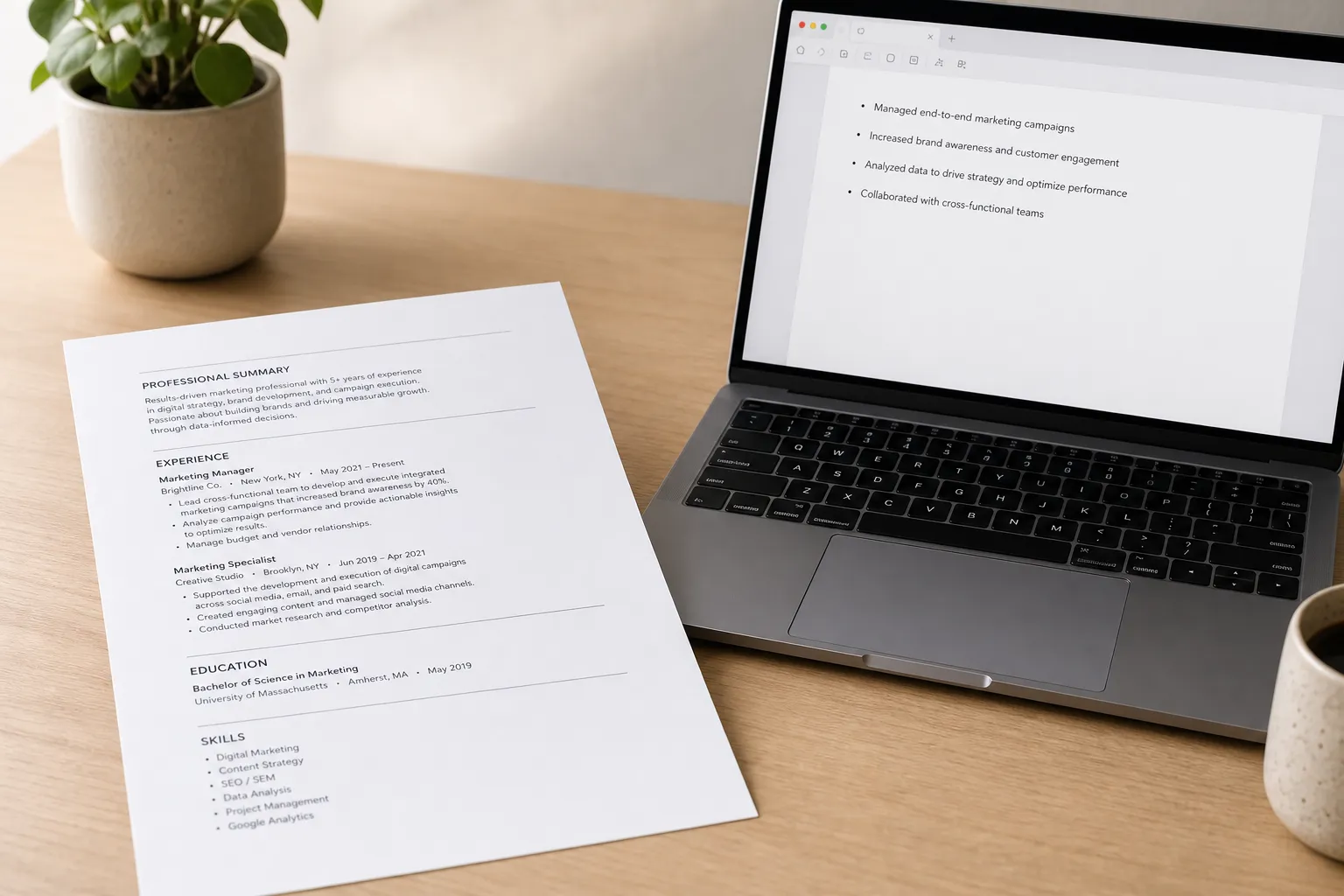
Sending solid applications and hearing nothing back usually means the applicant tracking system never saw what you can do. An ATS-friendly resume is easy for software to parse and easy for a recruiter to skim. You will match searches, surface in filters, and still sound human.
What ATS friendly really means
An ATS reads the raw text of your resume to pull fields like name, phone, email, titles, employers, dates, skills, and education. It then indexes that data so recruiters can run keyword searches and filters. If your resume buries key terms in odd layouts or images, the system cannot extract them, and you do not appear in results.
Think in two layers. First, the machine layer: clear section labels, simple reading order from top to bottom, left to right, and text that is selectable. Second, the human layer: tight bullets with outcomes and numbers so a recruiter can decide in 10 seconds. A quick test: select all text in your resume, paste it into a plain-text editor, and read it. If the order looks wrong, your layout will confuse parsing.
Formatting rules that pass
Use clean files and predictable structure
- File type. Send a .docx when possible. Most ATS parse .docx most reliably. A text-based PDF works, but never use scanned or image-only PDFs.
- Single column. Avoid tables, text boxes, columns, or sidebars. They scramble reading order and can split bullets.
- Standard headings. Use labels like Summary, Experience, Education, Skills, Projects, Certifications. One word each, capitalized.
- Readable fonts. Arial, Calibri, Helvetica, Garamond, or Times New Roman at 10–12 pt for body, 12–14 pt for headings. Use bold for headings and employer names only.
- Consistent dates. Pick one format such as Jan 2022 – Mar 2024 and reuse it everywhere. Place dates at the end of the title line or on the right in the same line, not in a separate column.
- Simple bullets. Use standard round bullets. No emojis, arrows, checkmarks, or custom icons.
- No graphics. Skip logos, headshots, charts, or decorative lines. They add no parsing value and can confuse text extraction.
- Contact info in the body. Put phone, email, city and state, and LinkedIn URL in the main content at the top, not in a header or footer.
- Length. One page if early career. Up to two pages if experienced. Prioritize the last 10 years and the most relevant roles.
- File name. Use Firstname-Lastname-Role.docx. Avoid special characters, long strings, or version clutter.
- Color and lines. If you use color, keep contrast high and use it sparingly for headings. Avoid text in shapes or within lines.
ApplyTop fixes layout issues, standardizes section labels, and exports a clean .docx or text-based PDF that parses correctly and still looks good to a recruiter.
Link to your work without breaking parsing
Hyperlinks are fine. Use short, descriptive anchors like Portfolio, GitHub, or Writing samples and keep the URL behind the text. Place links in the main body, not the header or footer. If you want a quick, job-relevant clip for your site or portfolio, try a Text to TikTok video AI web app that turns a prompt or your website into on-brand, faceless short-form reels with script, visuals, voiceover, and MP4 export.
Keywords that get you found
Build a target list from real jobs
- Collect 3–5 recent postings for the same role, level, and location.
- Highlight the must-have items that repeat: job titles, domain skills, tools, certifications, and outcomes.
- Group them: core title terms, domain skills, tools and platforms, certifications, and key action verbs.
Example for a marketing analyst. Core title terms: Marketing Analyst, Growth Analyst. Domain skills: A/B testing, funnel analysis, cohort analysis, SQL modeling. Tools: Google Analytics, Looker Studio, BigQuery. Certifications: Google Analytics Certification. Verbs: analyze, optimize, segment, model.
Place keywords where they count
- Job titles. Match the market-facing title when accurate. If your internal title is unusual, normalize it. Example: Product Analyst (Internal title: Client Insights Associate).
- Summary. Use one or two target titles plus 2–3 critical skills or tools in the first sentence.
- Experience bullets. Blend keywords with outcomes. One action, one tool, one metric per bullet keeps it scannable.
- Skills section. Curate 8–14 items, grouped and ordered by relevance: Languages, Tools, Platforms, Methodologies, Certifications.
- Synonyms. Include common variations if both appear in postings: CRM and customer relationship management, GA4 and Google Analytics 4, Power BI and Microsoft Power BI.
Avoid stuffing. Recruiters and models can detect walls of keywords with no proof. If a job stresses Python and SQL, show how you used them to drive a result. Example rewrite:
- Weak: Responsible for dashboards and ad hoc SQL queries.
- Strong: Built GA4 and SQL dashboards in BigQuery that cut weekly reporting time by 6 hours and revealed a 12 percent drop-off at checkout.
ApplyTop extracts keywords from any pasted job description, flags gaps in your resume, and suggests natural phrasings. You can also sanity check with an ATS resume checker by uploading your file to see exactly what text the system can read.
Examples and copy-ready templates
Example 1. Customer Service Representative
Summary: Customer Service Representative with 3 years across retail and SaaS support. Skilled in Zendesk, de-escalation, and first contact resolution. Known for clear documentation and fast follow-through.
Experience
- Resolved 55+ Zendesk tickets per day with a 92 percent CSAT and reduced average handle time by 18 percent in 6 months.
- Created new macros and knowledge base tags that lifted self-serve deflection by 14 percent and cut repeat contacts by 9 percent.
- Handled billing escalations for enterprise accounts with a 95 percent same-day resolution rate and zero chargeback losses in Q1.
Skills: Zendesk, Knowledge base management, CSAT, De-escalation, SLA adherence, Macros
Example 2. Software Engineer
Summary: Software Engineer focused on backend APIs and cloud services. Experience with Python, Node.js, AWS, Docker, and PostgreSQL. Fan of observability and small, safe releases.
Experience
- Built and maintained 12 REST APIs in Python and Node.js, cutting p95 response time from 220 ms to 85 ms and error rate from 1.8 percent to 0.4 percent.
- Migrated background jobs to AWS Lambda and SQS, reducing infrastructure cost by 28 percent and improving on-call pages by 31 percent.
- Added PyTest and Jest suites to CI, raising coverage from 42 percent to 82 percent and reducing regressions by 35 percent.
Skills: Python, Node.js, AWS, PostgreSQL, REST, CI/CD, Docker, Monitoring
Quick templates you can copy
Chronological template
- Full Name | City, ST | email@example.com | 555-555-5555 | linkedin.com/in/you
- Summary: 2–3 lines with target title, years, top skills and tools, and one outcome.
- Skills: 8–14 items grouped by category. Example: Languages, Tools, Platforms, Certifications.
- Experience
- Company, Location | Job Title | Dates
- Bullet with action + tool + outcome with a number.
- Bullet with scope + stakeholder impact.
- Bullet with process, quality, or cost improvement.
- Education: Degree, School, Graduation year. Add honors or relevant coursework if early career.
- Certifications: Name, issuer, year.
Combination template
- Full Name | Contact info
- Summary: One line with target role and value proposition.
- Selected Achievements
- One-liner impact statement with metric tied to the target role.
- Second one-liner impact statement with a tool or platform.
- Skills: Grouped and prioritized for the job you want.
- Experience: Standard bullets under each role that back up the achievements.
- Education and Certifications
How ApplyTop fits your workflow
ApplyTop scans LinkedIn, career sites, and ATS platforms to send matched job alerts, so you see new roles fast without juggling tabs. When you find a target role, the AI resume builder tailors your content, suggests missing keywords, and fixes formatting that can break parsing. It exports clean files and can generate a matching cover letter in the same session. Before you submit, run an ATS resume checker inside your flow to confirm headings, sections, and text extract correctly.
Key takeaways
- ATS friendly means clear structure, relevant keywords, and proof of impact that reads well to humans.
- Use a single column, standard headings, simple bullets, and .docx or a text-based PDF. Keep contact info in the body.
- Build keywords from real postings. Place them in titles, summary, bullets, and a curated skills section. Show outcomes, not duties.
- Link to work with descriptive anchors in the body. Keep URLs short and clean.
- ApplyTop finds roles, tailors your resume and cover letters, and exports clean files so you pass parsing and win the skim.