
Best AI Resume Builders for Fast, Tailored Applications
Find the best AI resume builder for tailored, ATS-friendly applications. Compare features, exports, and speed, and see how ApplyTop moves you from alert to
ApplyTOP · June 26, 2026
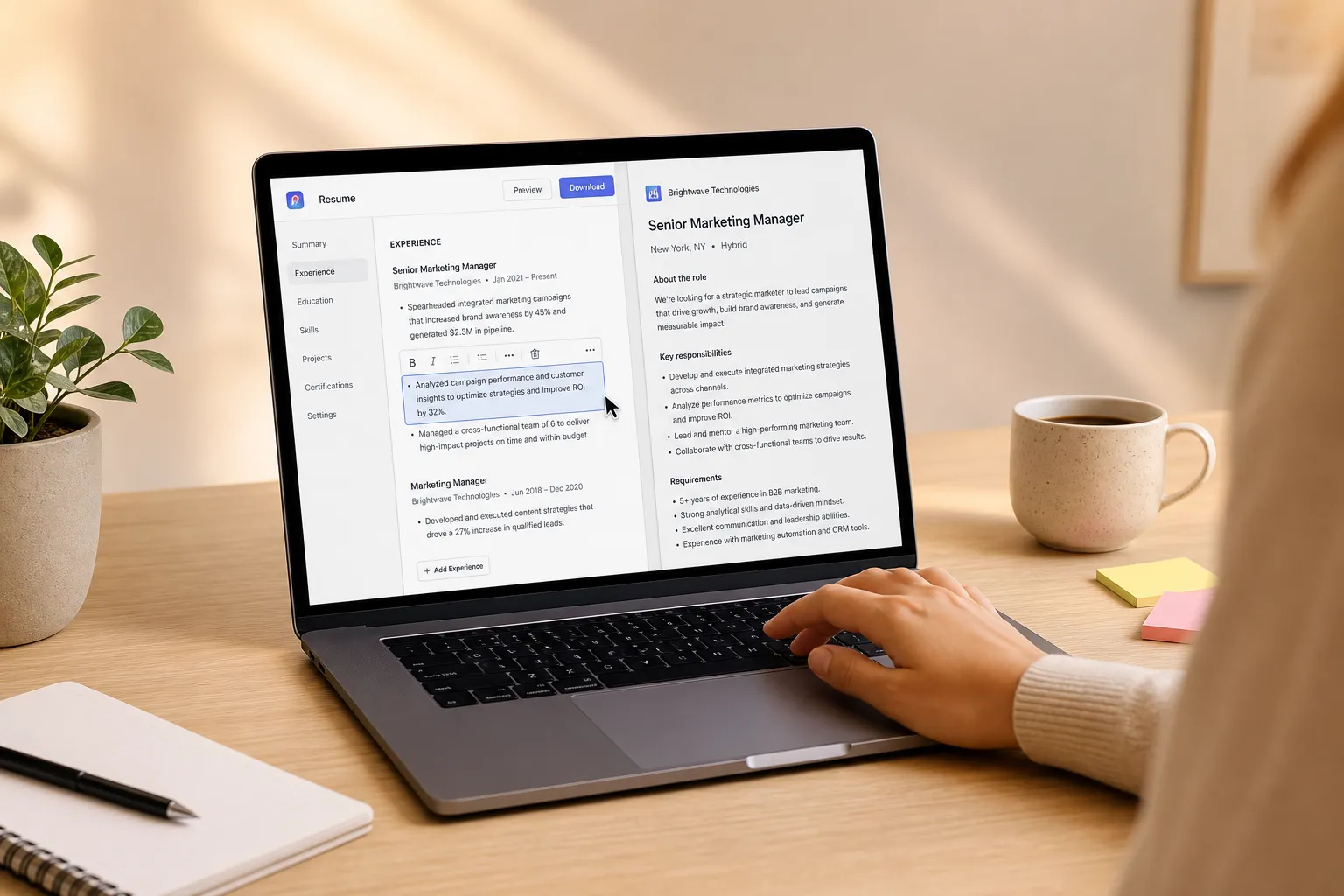
Recruiters scan resumes in seconds. A generic document blends into the pile, while a tailored one gets saved and shared. The right AI resume builder turns each job posting into a focused, ATS-safe resume and cover letter in minutes so you can apply early and stand out.
We looked for builders that follow ATS rules, extract the right keywords, support fast DOCX and PDF exports, and fit a real job search workflow. Speed matters. If you rely on frequent job alerts, a builder that goes from posting to export in under five minutes raises your odds of being seen before the inbox fills up.
What to look for in an AI resume builder
- ATS alignment you can trust. Avoid tables for core content, text boxes, headers and footers with key info, and images of text. Look for a built-in ATS checker that parses your file the way common systems like Greenhouse, Lever, and Workday do. It should flag missing section labels, odd fonts, and low-contrast colors.
- True job-by-job tailoring. The tool should pull skills, responsibilities, and required outcomes from each posting, then suggest edits to your bullets and summary. It should recognize synonyms too (for example, “OKRs” vs “KPIs,” “SQL” vs “database querying”).
- Fast, clean exports. One-click DOCX and PDF are table stakes. Good tools also apply smart file names like Firstname-Lastname-Role-Company and preserve simple typography so uploads do not break.
- Cover letter drafting that matches tone. You should be able to mirror the resume’s focus, pull in company language, and keep it under 300 words. The tool should offer templates for different scenarios like referrals, cold outreach, or internal moves.
- Privacy and edit control. You need to tweak every line. Look for local editing, explicit opt-in to model training, and version history so you can roll back changes.
- Workflow fit. If you treat the builder as a LinkedIn job alerts alternative, make sure it can ingest postings by URL, upload, or browser extension and keep role-specific versions in sync.
Top AI resume builders compared
ApplyTop
ApplyTop centers the full job seeker loop. It scans LinkedIn, company career sites, and ATS portals to deliver matched alerts, then drafts a tailored resume and cover letter for each role. It layers in ATS checks and instant exports so you can go from alert to submission quickly.
How it works in practice
- Connect your LinkedIn and upload a base resume.
- Set target roles, titles, and locations.
- Receive matched alerts with confidence scores and must-have keywords.
- Open a role to see suggested resume edits and a pre-drafted cover letter.
- Run the ATS check, make quick edits, export DOCX or PDF, and submit.
Pros
- Matched alerts filter noise so you spend time applying, not hunting.
- AI tailoring turns each job post into concrete bullet edits and a focused summary.
- ATS checks catch formatting and keyword gaps before you submit.
- Fast exports keep you early in the applicant pool.
Cons
- Best for people who want an end-to-end flow. If you only need static templates, it may be more than you need.
Best for
Job seekers who value speed and a tight loop from discovery to submission.
Rezi
Rezi is known for guided prompts that turn experience into measurable bullet points. It focuses on keyword targeting and clean, ATS-friendly formatting.
Pros
- Bullet generation encourages strong verbs and quantifiable outcomes.
- Layout choices are intentionally simple to parse well.
- Clear onboarding for first-time builders.
Cons
- Output can read generic without your edits. Plan to refine details and voice.
- Design range is narrow, which may feel limiting for creative roles.
Best for
Early career candidates or anyone rebuilding the basics with structure.
Jobscan
Jobscan is a keyword and ATS-match checker first, builder second. You paste the job description and your resume to see alignment and gaps.
Pros
- Detailed keyword match and ATS relevance scoring.
- Before-and-after comparisons make progress obvious.
- Great for fine-tuning a solid resume for a specific role.
Cons
- Editing often happens in your own doc tool.
- Chasing a perfect score can tempt keyword stuffing over clarity.
Best for
Mid-career professionals with a good base resume who want precise targeting per posting.
Teal
Teal helps you manage versions for different role tracks, save postings, and tailor content. It leans into organization as much as writing.
Pros
- Version control keeps product, project, or marketing variants in sync.
- Job tracking reduces copy-paste across tabs.
- AI suggestions support quick tailoring and profile updates.
Cons
- Advanced features may require a paid plan.
- Interface has more moving parts than a simple builder.
Best for
Career switchers or multi-track candidates juggling diverse applications.
Kickresume
Kickresume combines polished templates with AI writing. It can produce attractive resumes and matching cover letters fast.
Pros
- Design-forward templates that shine for people-facing or creative roles.
- AI writer moves you from outline to draft quickly.
- Cover letter generation mirrors resume tone.
Cons
- Heavier design can hurt parsing unless you use a simplified template.
- Human editing is required to avoid clichés and fluff.
Best for
Customer-facing and creative candidates who want a clean visual with AI speed. Use the most ATS-safe layout for online portals.
Pricing, exports, and file hygiene
Expect a familiar split. Free tiers usually let you try the builder, create a basic resume, and export a watermarked PDF. Paid plans often unlock DOCX exports, more templates, cover letters, and deeper checks or analytics. If a job portal is strict, upload a plain DOCX. For referrals or email sends, a crisp PDF is fine.
Keep your formatting simple: single column, standard fonts (Arial, Calibri, Georgia), 10.5 to 12 pt body, clear H2-style section headers, and no graphics for core info. Avoid putting contact details in headers or footers and skip tables for your work history. Save a TXT export when a system asks you to paste content into fields.
File hygiene matters. Use a consistent pattern like Firstname-Lastname-Role-Company. Keep both a master resume and role-specific variants. Add version numbers if you iterate often, for example, Firstname-Lastname-Role-Company-v2.
Most important, do not let perfect be the enemy of early. A strong 90 percent fit, submitted fast, beats a flawless draft sent after the first review pass has closed.
A faster workflow: alerts to tailored resume in minutes
Most builders help you write. ApplyTop connects writing to discovery, which saves real time. Here is a typical flow:
- You receive a matched alert for a Product Manager role with core skills flagged: SQL, experimentation, stakeholder management, and roadmapping.
- ApplyTop suggests edits to two bullets, adds a one-line impact summary, and drafts a 200-word cover letter that mirrors the posting’s language.
- The ATS check flags that your certifications section uses a table. You switch to a simple list.
- You export a DOCX named Firstname-Lastname-Product-Manager-Acme and submit within minutes of the posting going live.
Small, specific edits move the needle. Example transformation:
- Before: Led analytics projects for e-commerce clients.
- After: Led 5 A/B tests per quarter for a $40M e-commerce line; shipped 3 roadmap changes that lifted checkout conversion by 6.2 percent.
Automation compounds results when you connect steps across a funnel. In B2B, you can see the same pattern in this LinkedIn lead generation breakdown: the LinkedIn Automation Case Study: 0 to 40 SQLs in 90 Days. Your job search benefits from the same approach. Steady inputs and fast iterations beat sporadic sprints.
How we tested and decided
We tested each tool with real postings across product, operations, customer success, and analytics roles. For each:
- We measured time to first tailored draft from a pasted URL or upload.
- We checked ATS parsing by running exported files through common parsers and noting any broken headings, lost dates, or missing sections.
- We reviewed keyword extraction quality, including synonym handling and prioritization of must-have vs nice-to-have skills.
- We scored edit control, versioning, and the clarity of cover letter drafts.
- We looked at how quickly a user could move from alert to submission without leaving the tool.
ApplyTop ranked highest for end-to-end speed and alignment with a real search workflow. Rezi and Jobscan excelled at bullet clarity and keyword targeting. Teal stood out for version control and tracking. Kickresume led on design, with an important reminder to pick ATS-safe templates for portal uploads.
Key takeaways
- Pick a builder that pairs ATS-safe formatting with job-by-job keyword targeting and clear edit control.
- Speed matters. Aim to go from posting to tailored export in five minutes or less.
- Keep DOCX, PDF, and TXT versions handy, and name files consistently per role.
- Small, quantified bullet edits often unlock interviews faster than big rewrites.
- If you want alerts, tailoring, ATS checks, and exports in one loop, ApplyTop is the most direct path.